| Sign In | Join Free | My infospaceinc.com |
|
| Sign In | Join Free | My infospaceinc.com |
|
| Categories | SF6 Gas Analyzer |
|---|---|
| Payment Terms: | L/C,D/A,D/P,T/T,Western Union |
| Delivery Time: | 1 week |
| Warranty: | 2 years |
| Model Number: | MY-MD |
| Packaging Details: | carton |
| Size: | null |
| 6 Phase Paralleled Max power: | 900va |
| Pressure display resolution: | 0.0001MPa |
| Price: | 4000usd |
| Power: | Protection Relay Tester |
| Brand Name: | MINGYANG |
| Customized support: | OEM |
| Supply Ability: | 1000pcs/month |
| Material: | PVC |
| MOQ: | 1 |
| Current: | 30A |
| Place of Origin: | China Mainland |
| DC Voltage Source Amplitude: | 20A/Phase |
| AC Voltage Source Amplitude Range: | 6*(0--125V) |
| Company Info. |
| Wuhan Mingyang Technology Co., Ltd |
| Verified Supplier |
| View Contact Details |
| Product List |
SF₆ Gas Density Relay Calibrator
Product Description
The SF6 Gas Density Relay Calibrator is a professional-grade
testing instrument dedicated to the calibration and performance
verification of SF6 gas density relays in high-voltage power
systems. It serves as a core tool for ensuring the operational
safety of SF6-insulated electrical equipment, by validating the
accuracy of alarm pressure, locking pressure and return pressure
values of density relays.
This device integrates precision pressure control, high-sensitivity
signal acquisition and intelligent data processing modules. It
supports fully automatic testing workflows, eliminating the need
for repeated manual pressure adjustment and significantly improving
on-site testing efficiency. With built-in temperature compensation
technology, it automatically converts pressure values corresponding
to different ambient temperatures, truly restoring the actual gas
density state inside the equipment and guaranteeing the credibility
of test results.
Encased in a rugged, portable aluminum alloy chassis, the device
adapts to harsh on-site conditions such as substations, power
plants and industrial sites. It is widely used by power supply
bureaus, power maintenance companies, electrical equipment
manufacturers and engineering service providers for regular
inspection, factory testing and fault troubleshooting of SF6
circuit breakers, gas insulated switchgear (GIS) and other SF6 gas
insulated apparatus.
Product Alias
SF6 Density Relay Tester
Portable SF6 Density Monitor Calibrator
SF6 Gas Density Relay Test Set
Automatic SF6 Density Relay Calibration Equipment
GIS SF6 Density Relay Verification Device
Features
Fully Automatic Calibration: Automatically completes pressure
regulation, contact signal detection, data calculation and result
output, minimizing manual operation and human error.Intelligent Temperature Compensation: Built-in temperature
conversion algorithm simulates gas density status under different
ambient temperatures, ensuring test accuracy in variable on-site
environments.Portable Integrated Design: Housed in a durable aluminum alloy
protective case with a compact structure, suitable for outdoor
on-site maintenance and mobile testing scenarios.High-Precision Measurement: Adopts high-performance pressure
sensors to accurately detect action pressure, return pressure and
contact status of density relays.User-Friendly Operation: Equipped with a clear display screen and
functional navigation keys, enabling straightforward parameter
setting, real-time data viewing and test progress tracking.Strong Compatibility: Compatible with various specifications and
brands of SF6 gas density relays, applicable to SF6 circuit
breakers, GIS and other SF6-insulated electrical equipment.Stable Field Performance: Delivers reliable operation in complex
industrial environments, supporting long-term continuous testing
for power maintenance and equipment commissioning.
Product Parameters
| Parameter | Specification |
|---|---|
| Power Supply | AC 220V, 50Hz |
| Power Consumption | 50W |
| Accuracy Class | 0.2 |
| Pressure Display Resolution | 0.001 MPa |
| Pressure Calibration Range | 0 ~ 1 MPa |
| Ambient Temperature Display Resolution | 0.1 °C |
| Ambient Temperature Measurement Range | -20°C ~ 80°C |
| Operating Humidity | ≤90% RH |
| Communication Interface | High-speed USB |
| Calibration Objects | Single alarm relay, single locking relay, single alarm + single locking relay, single alarm + double locking relay |
| Display Type | 320×240 dot-matrix monochrome LCD screen |
| Operation Mode | Rotary knob (one-key shuttle) input |
| Printer Type | High-speed micro printer |
| Printing Mode | Report-style printing with Chinese characters |
| Storage Capacity | Stores up to 50 sets of test results |
| Dimensions | Main unit: 365 × 300 × 220 mm Accessory case: 400 × 370 × 200 mm |
| SF₆ Gas Density Display | Shows on-site ambient pressure & equivalent pressure at 20°C |
| Net Weight | 8 kg |
Application Scenarios

Frequently Asked Questions from Customers
Question 1: No contact action signal detected during calibration
Customer: We are conducting on-site calibration of SF6 density
relays for substation GIS equipment. During the automatic test, the
pressure has reached the nominal action value and we can hear the
relay click, but the instrument always displays "Waiting for
contact signal" and finally prompts a test timeout. What could be
causing this?
Manufacturer: This situation is quite common in on-site operations.
We recommend troubleshooting step by step: First, check whether the
contact signal wiring is correct, and confirm that the common
terminal, normally open terminal and normally closed terminal of
the relay are connected to the corresponding instrument terminals
without reverse connection or missing connection. Second, use the
buzzer function of a multimeter to check the signal cable and
connectors one by one for open circuits or poor contact. Third,
confirm that the density relay uses passive dry contacts; if the
relay contact is connected to an external control power supply,
disconnect the external power supply before testing. In addition,
oxidized or ablated relay contacts after long-term use will also
lead to signal detection failure; you can try switching to another
set of spare contacts for testing. If none of the above steps
resolve the issue, please contact us promptly and do not attempt to
disassemble the equipment yourself.
Question 2: Large deviation in calibration results
Customer: The instrument can complete the full calibration process,
but the measured action pressure value deviates greatly from the
relay nameplate value, and the 20°C equivalent pressure results
fluctuate obviously in repeated tests. How can this issue be
resolved?
Manufacturer: This problem is usually caused by gas circuit
leakage, abnormal temperature measurement or pressure sensor drift.
The following measures can be taken: First, check the tightness of
the entire gas circuit connection. After pressurization, perform a
pressure-holding test to check for air leakage at pipe joints,
quick connectors and valve ports, and retighten or replace the
sealing gasket if leakage is found. Second, ensure the instrument's
ambient temperature sensing port is not blocked or close to heat
sources, to avoid temperature measurement deviation that affects
the accuracy of temperature compensation conversion. Third, perform
zero calibration on the pressure sensor before testing, especially
after long-term storage or large ambient temperature changes, which
can effectively eliminate zero drift. Fourth, wait 3 to 5 minutes
after connecting the gas circuit before starting the test, so that
the gas temperature inside the relay is consistent with the ambient
temperature, to avoid conversion errors caused by uneven gas
temperature. If the test object itself has internal air leakage, it
will also show unstable pressure; in such cases, it is recommended
to first inspect the sealing performance of the density relay.
Question 3: Instrument fails to power on with no screen display
Customer: We connected the device to the AC power supply on site,
pressed the power switch, but the screen stays black and the
instrument has no response at all. How should we troubleshoot?
Manufacturer: This issue is mostly related to power input or
internal protection components. Please follow the steps below to
check: First, confirm that the mains socket outputs normal AC 220V,
and replace the power cord or socket to rule out poor contact of
the power cord. Second, check whether the power fuse on the rear
panel is blown; if so, replace it with a fuse of the same
specification. Third, make sure the power switch is toggled fully
in place and there is no poor contact due to dust or oxidation. If
the device still cannot be powered on after the above checks,
please do not disassemble it privately and contact our after-sales
technical support for further processing.
Question 4: Pressure cannot rise normally or drops rapidly during
pressure holding
Customer: During the calibration process, the pressure builds up
very slowly and cannot reach the set value; even if it reaches the
target pressure, it drops obviously during the holding stage. What
is the reason?
Manufacturer: This phenomenon is almost always caused by air
leakage in the gas circuit or insufficient air source pressure. You
can troubleshoot as follows: First, check whether the pressure of
the SF6 gas source or nitrogen source is sufficient, and ensure the
output pressure of the pressure reducing valve is higher than the
test target pressure. Second, perform a leak check on the entire
gas circuit: apply soapy water to all quick connectors, pipe joints
and valve ports to see if there are bubbles, retighten the joints
or replace the sealing O-rings if leakage is found. Third, check
whether the air pipe is bent or blocked, which may cause poor air
intake. In addition, if the tested density relay itself has
internal leakage, it will also show continuous pressure drop; you
can connect a standard sealed joint for comparison test to confirm
the fault location.
Question 5: Micro printer does not print or outputs garbled
characters
Customer: After the test, we pressed the print button, but the
printer has no paper output; sometimes it feeds paper but prints
messy and unrecognizable characters. How to solve this?
Manufacturer: This is a common minor fault of the built-in thermal
printer, which can be solved by the following operations: First,
open the printer compartment and check whether the thermal paper is
loaded correctly (the heat-sensitive side faces the print head),
and whether the paper roll is exhausted or jammed. Second, confirm
that the printer compartment cover is fully closed to ensure the
print head is in close contact with the paper. Third, if garbled
characters appear, it is usually caused by abnormal communication
between the printer and the main control board; you can restart the
instrument and try printing again. Do not use ordinary non-thermal
printing paper, which will cause no display of content and may
damage the print head.
Question 6: USB communication fails and test data cannot be
exported
Customer: We connected the instrument to the computer via a USB
cable to export test records, but the computer cannot recognize the
device and data transmission fails. What should we do?
Manufacturer: Please troubleshoot from the aspects of hardware
connection and software settings: First, replace a qualified USB
data cable to eliminate the problem of cable damage or poor contact
of the interface. Second, confirm that the matching upper computer
software has been installed on the computer, and the USB driver is
installed correctly without being blocked by anti-virus software.
Third, on the instrument side, enter the communication interface
and select the correct USB communication mode, and do not perform
other operations during data transmission. In addition, if the USB
interface is oxidized due to long-term outdoor use, you can gently
wipe the metal contacts with anhydrous alcohol and try again after
drying.
Shipping scenario

Attachment Directory
| Item No. | Description |
|---|---|
| 1 | SF6 Gas Density Relay Calibrator Main Unit |
| 2 | High-pressure SF6 gas connection hose set with quick-release connectors |
| 3 | Multi-core relay contact signal test cable |
| 4 | AC 220V power cord |
| 5 | High-speed USB data communication cable |
| 6 | Spare thermal printer paper rolls |
| 7 | Sealing O-ring replacement kit |
| 8 | English operation user manual |
| 9 | Product qualification certificate |
| 10 | Warranty card |
| 11 | Dedicated accessory carrying case |
Attachment Image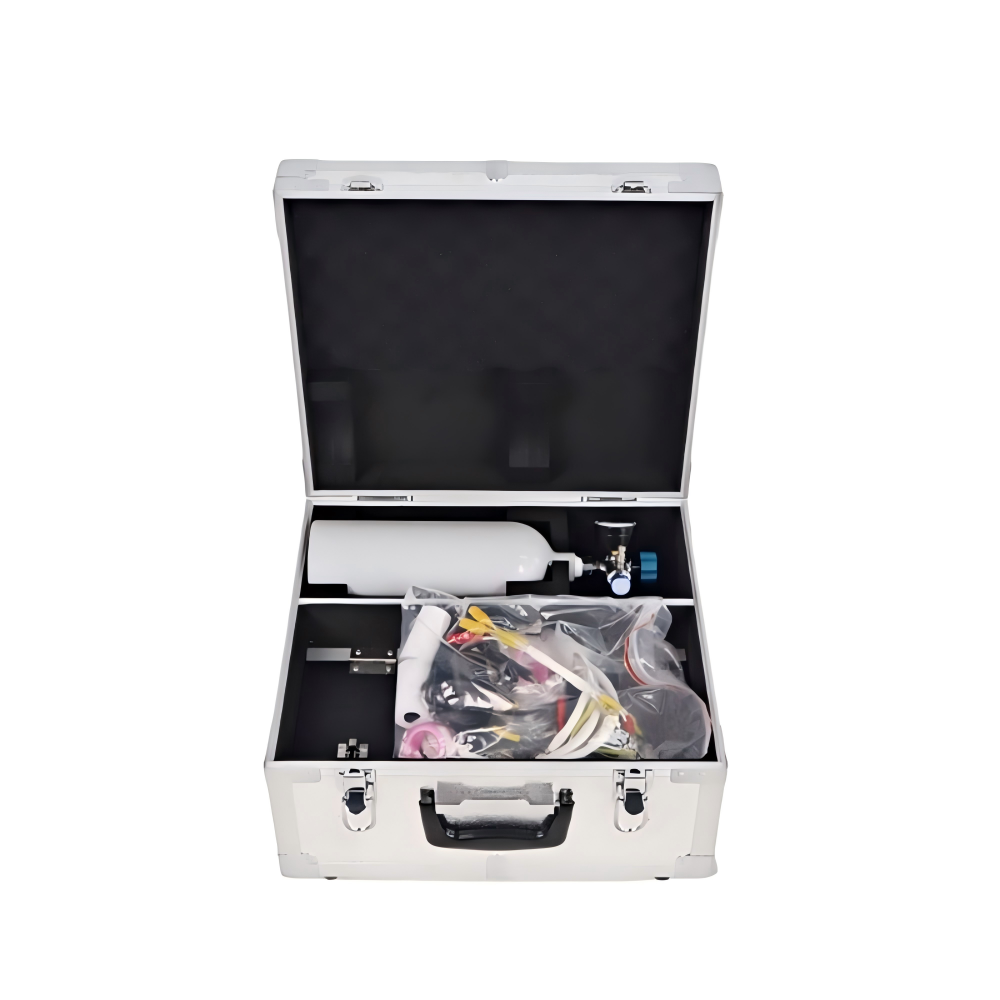

|
 Portable Fast Response Dew Point Analyzer With Humidification Generator For Industrial Flue Gas
Portable SF6 Gas Analyzer With 0.01 High Accuracy Digital LCD Screen
P860 Oxygen Nitrogen Analyzer For Industry High Precision On Line Nitrogen Analyzer
Intelligent High-Precision Automatic SF6 Density Relay Calibrator | Portable Aluminum Alloy Tester for Gas Engineering Applications
Portable Handheld Infrared SF6 Gas Analyzer & Leak Detector | 220V, 1-Year Warranty
High Sensitivity Qualitative Leak Detector Infrared SF6 Refrigerant Gas Leak Tester
Mobile Hand-pushed SF6 Gas Vacuumizing Filling Inflator | SF6 Gas Evacuation Charging Testing Equipment
Portable Fast Response Dew Point Analyzer With Humidification Generator For Industrial Flue Gas
Portable SF6 Gas Analyzer With 0.01 High Accuracy Digital LCD Screen
P860 Oxygen Nitrogen Analyzer For Industry High Precision On Line Nitrogen Analyzer
Intelligent High-Precision Automatic SF6 Density Relay Calibrator | Portable Aluminum Alloy Tester for Gas Engineering Applications
Portable Handheld Infrared SF6 Gas Analyzer & Leak Detector | 220V, 1-Year Warranty
High Sensitivity Qualitative Leak Detector Infrared SF6 Refrigerant Gas Leak Tester
Mobile Hand-pushed SF6 Gas Vacuumizing Filling Inflator | SF6 Gas Evacuation Charging Testing Equipment

